Payment Profiles
Reusable checkout templates with branding and default settings
Payment Profiles store reusable checkout configuration - branding, URLs, and default settings. Create profiles in the dashboard, then reference them when creating sessions via API.
Profiles are managed through the Snippe Dashboard. You cannot create or modify profiles via API.
Why Use Profiles?
- Consistency: Same branding across all checkouts
- Efficiency: No need to repeat configuration for each session
- Multiple Brands: Different profiles for different products/stores
- Easy Updates: Change profile once, affects future sessions
Creating Profiles
Profiles are created and managed in the Snippe Dashboard:
- Go to Settings > Payment Profiles
- Click Create Profile
- Configure your branding and default settings
- Save and copy the profile ID
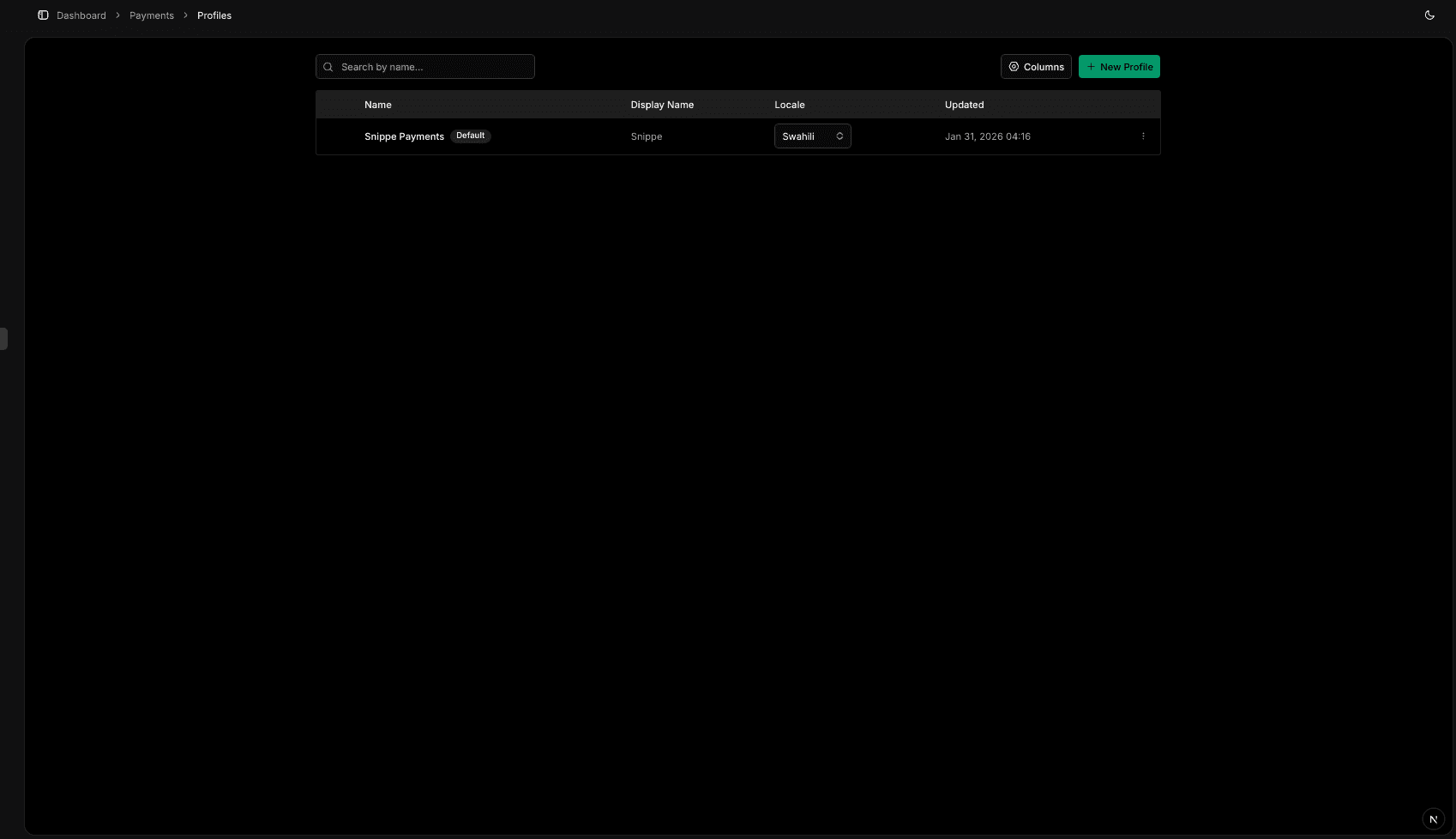
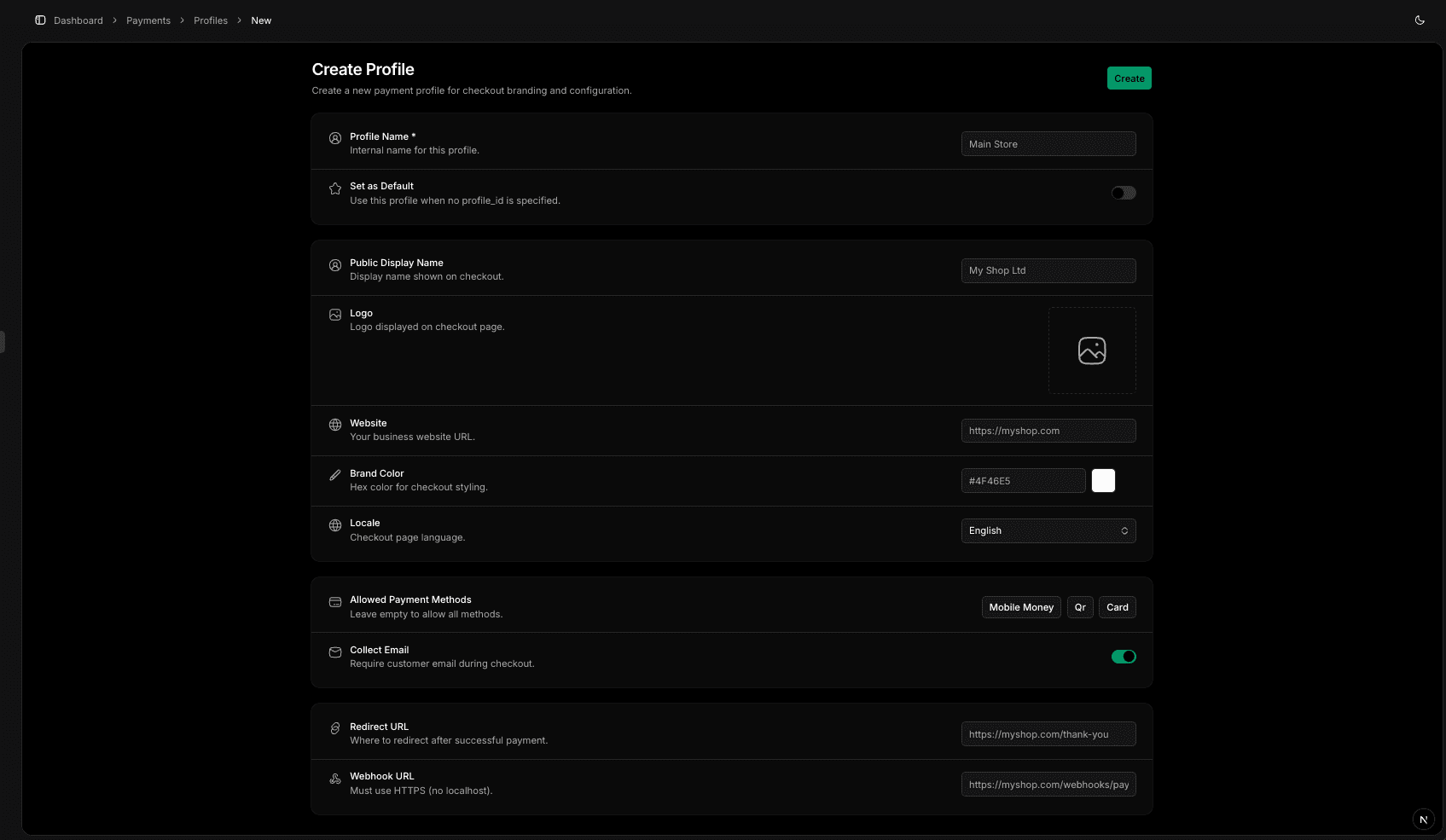
Profile Settings
| Field | Description |
|---|---|
name | Internal name (e.g., "Main Store", "Event Sales") |
merchant_name | Display name on checkout |
merchant_logo | Logo URL (recommended: 200x200px) |
merchant_website | Your website URL |
brand_color | Hex color (e.g., #4F46E5) |
locale | Language: en or sw |
allowed_methods | Default payment methods |
redirect_url | Default success redirect URL |
webhook_url | Default webhook URL |
collect_email | Show email field (default: true) |
is_default | Use when no profile_id specified |
Using Profiles with Sessions
Reference a profile when creating sessions:
{
  "profile_id": "prof_550e8400-e29b-41d4-a716-446655440000",
  "amount": 50000,
  "description": "Order #12345"
}
The session inherits all profile settings. You can override configuration fields like redirect_url, webhook_url, and allowed_methods per-request:
{
  "profile_id": "prof_550e8400-e29b-41d4-a716-446655440000",
  "amount": 50000,
  "description": "Order #12345",
  "redirect_url": "https://acme.com/orders/12345"
}
Field Merge Logic
Branding fields come exclusively from the profile. Configuration fields can be overridden per-request.
| Field | Source | Default |
|---|---|---|
merchant_name | Profile only | - |
merchant_logo | Profile only | - |
brand_color | Profile only | - |
locale | Profile only | en |
collect_email | Profile only | true |
allowed_methods | Request > Profile | ["mobile_money"] |
redirect_url | Request > Profile | - |
webhook_url | Request > Profile | - |
Default Profile
You can set one profile as the default in the dashboard. The default profile is automatically applied when creating sessions without specifying a profile_id.
Updates to a profile only affect future sessions. Existing sessions retain their original configuration.